Find
Find is the sixth core screen, alongside Workbench, Calendar, People, Intake, and Reports. Every organization has it, regardless of which modules are licensed.
You ask a question in your own words. What comes back is the records themselves, with their provenance — never a summary of them, and never a number you can't trace. If Find says eleven sites are behind, you get the eleven sites, each one openable.
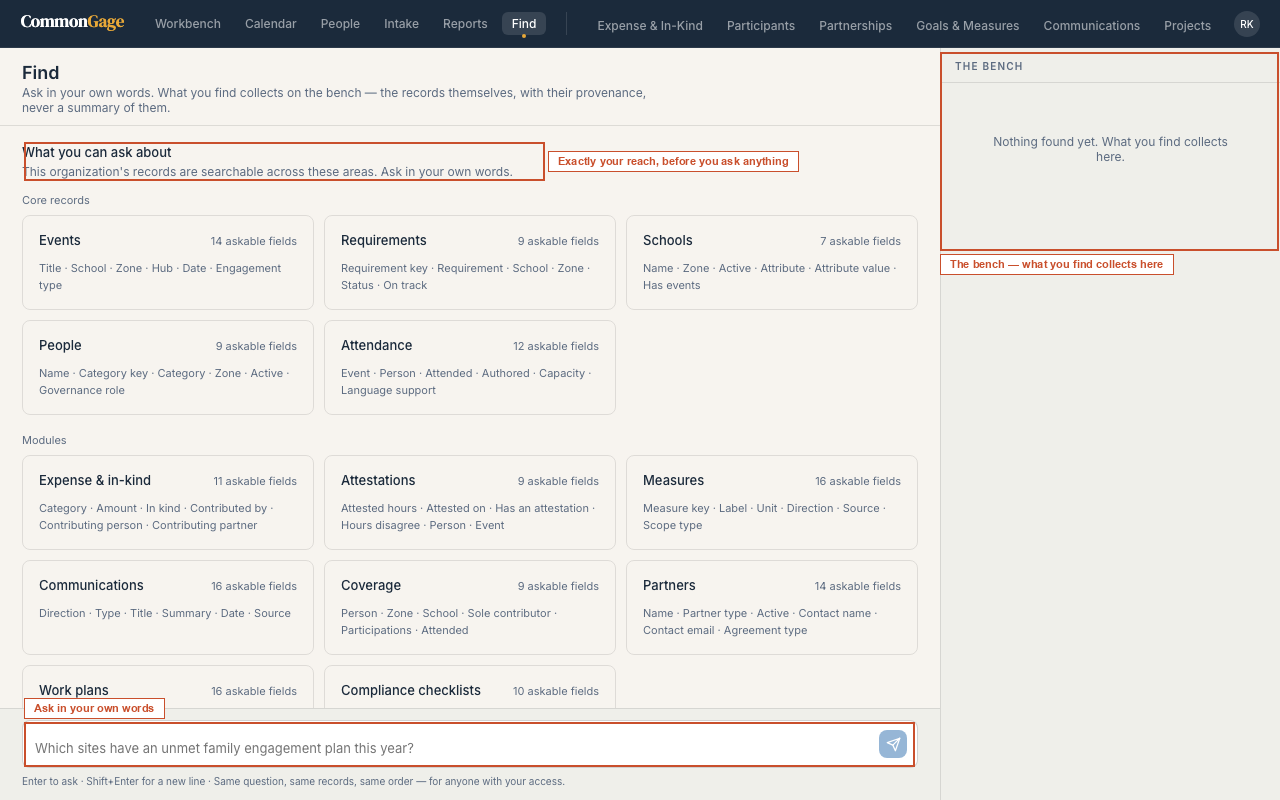
Asking
Type the question and press Enter. Shift+Enter gives you a new line.
Which sites have an unmet family engagement plan this year?
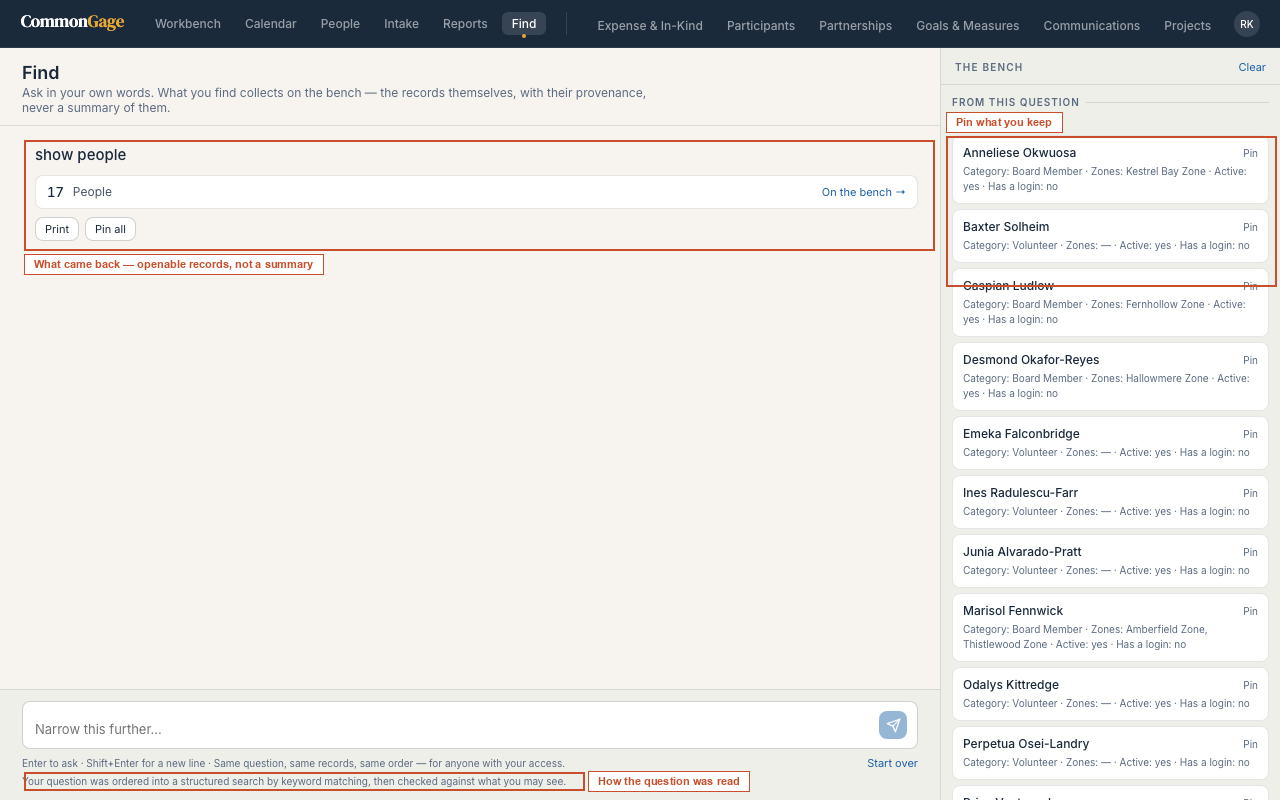
Before Find searches anything, it tells you how it read the question — a plain sentence restating the collection it's looking in and the conditions it applied. Read that line. If it doesn't match what you meant, rephrase and ask again; you'll never have to guess whether the number you're looking at answers the question you asked.
Two things can happen instead of a search:
- Find asks you to clarify. If a question can be read more than one way — the usual culprit is mixing and with or in a single sentence — Find shows you the reading it would have taken and asks whether that's what you meant. Nothing is searched. It will not quietly pick one interpretation and hand you results from it.
- Find says the question can't be turned into a search, and tells you specifically why: there's nothing here by that name, that module isn't enabled for your organization, your role doesn't reach that area, that field doesn't exist, or that field can't be compared the way the question asked. Each message names the actual problem rather than returning an empty result set you'd have to interpret.
Narrowing
After a result, ask a follow-up to narrow it. The constraints stack, and each one shows in the trail above the results — remove any of them to widen back out.
Follow-ups can only ever narrow. If a follow-up would have widened the search rather than narrowing it, Find declines to apply it and leaves your existing constraints untouched, rather than silently handing you a bigger result set than the one you were working with. Clear the trail when you want to start a new search.
Some questions span more than one area — which partners sent people to events at sites that are behind? — and Find chains the steps, showing each one and how many records it matched.
The bench
Results collect on the bench on the right, across the whole session. It's a working surface: ask several questions, keep what's useful, discard the rest.
- Pin a result to keep it. Pinned items stay on the bench as you ask new questions; unpinned ones fall away under Earlier.
- Pin all / Unpin all for a whole batch, and Clear to empty the bench.
- Print bench produces one document of everything you've kept — the working record of an investigation, not a screenshot of a screen.
Any single result can also be turned into a Report, a Calendar (if the records carry a date), printed, or exported.
What you can ask about
Before you've asked anything, Find lists every area of the record open to you, split into Core records and Modules, with the number of askable fields in each. That list is exactly your reach and nothing more:
- Modules your organization hasn't licensed do not appear, and naming one gets you a clear "not enabled for this organization" rather than an empty result.
- Fields above your role do not appear either. A building staff member searching people can ask about names, categories, and zone affiliation, but email addresses and external references aren't in the language for that seat at all — they can't be asked about, filtered on, or inferred to exist.
Licensing and role are what determine Find's reach. There is no separate Find permission to configure.
Why the same question gives the same answer
Two people with the same access, asking the same question, get the same records in the same order. Find is a search over your record, not a generative answer about it: the wording of your question determines what to look at and how to narrow it, and the records that come back are read straight from the database and checked against your permissions afterward.
Every result carries its provenance — who ran it, what scope it was run under, and when.
Turning your sentence into a structured search uses a language model where one is configured, and falls back to keyword matching where one isn't. Find tells you which path it took.
Either way, the model has no authority over what you can see. It only proposes which collection to look in and how to narrow it; the resulting search is then checked against your organization's licensed modules and your own role before it runs, and a search that fails that check is refused no matter what produced it. No record from your database is ever sent to the model — only your question, the names of the collections and fields your role can reach, and, on a follow-up, the structured form of the search you're narrowing. See Security Overview for the full data path.