The Modules
Modules extend the core platform for specific operational needs, and are enabled per organization — if a module below doesn't appear in your nav bar, it isn't licensed for your organization; ask your admin, or see the Module Catalog.
What follows is how you'd use each one day to day. For the full picture of what a module tracks, reports, and who it's built for, follow the "Full reference" link — that's the reference page, and this is the tour.
Expense & In-Kind
Covered above in The Monthly and Quarterly Rhythm — cost tracking, cash and in-kind, per event, rolled up by zone and category. Full reference →
Participants
Log who showed up from an event's own Participants tab — attendance and hours, per person, per event. The module's own screen shows the organization-wide rollup, one row per zone, with participation, confirmation rate, and hours. Full reference →
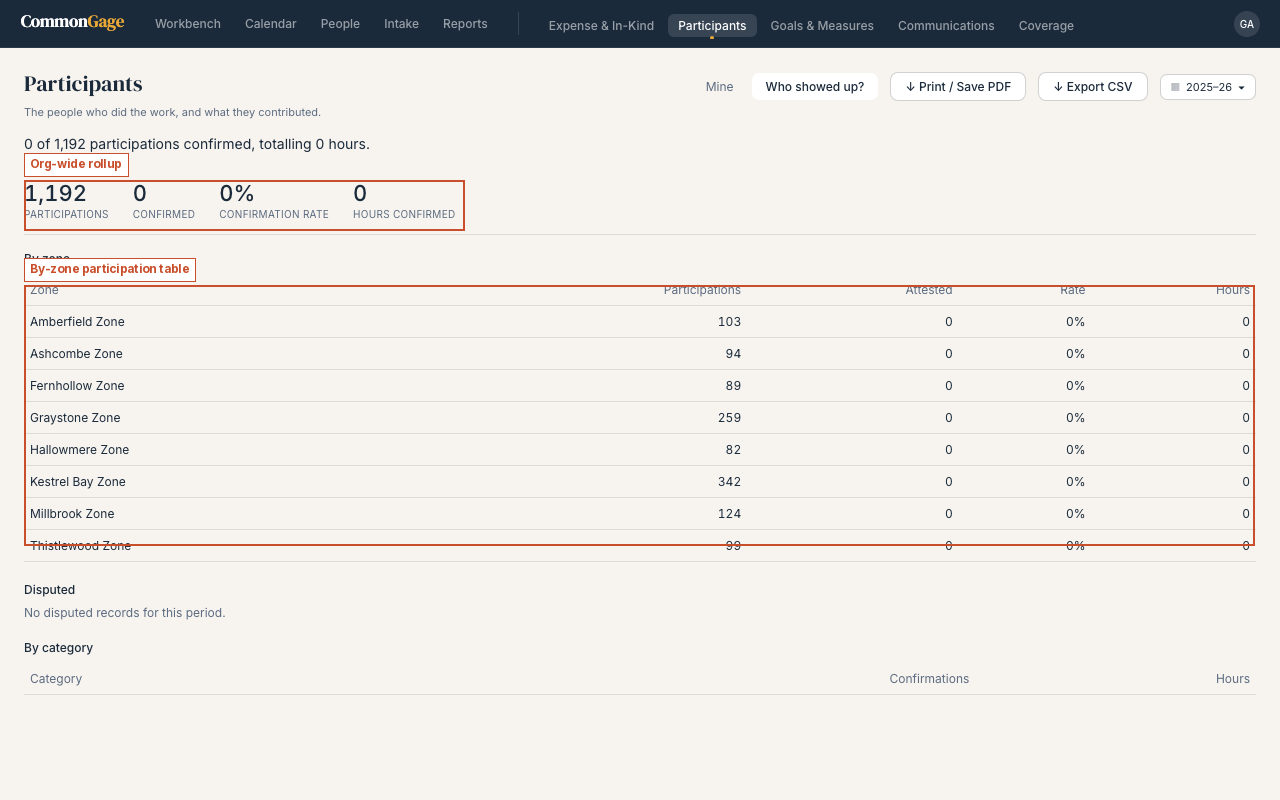
Confirming a participation (RSVP and attestation). When staff record someone's participation, CommonGage can notify that person and give them a way to confirm their own hours — attestation. How this works depends on whether the person has a CommonGage account:
- With a CommonGage account — including anyone given a minimal "Participant" seat (Calendar and their own participation records only) — the person gets an email notification and attests from the Participants Mine tab.
- Without an account — community volunteers, partner staff, anyone not yet invited — the person gets one email with two single-use links: an RSVP link to confirm they attended, and a tokenized attestation link to confirm their hours. Neither requires login.
Attestation means the person confirms their own hours. If the self-reported figure differs from what staff recorded, both are kept side by side — neither overwrites the other.
Goals & Measures
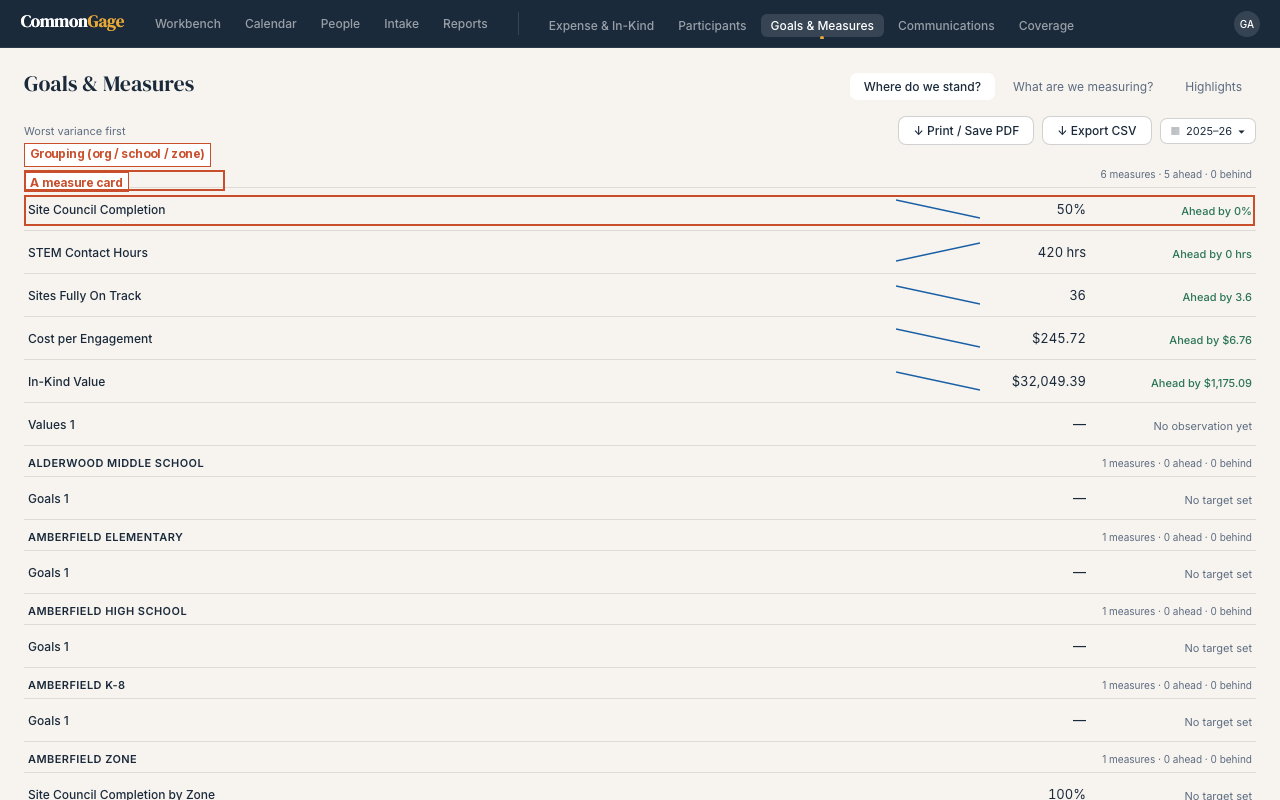
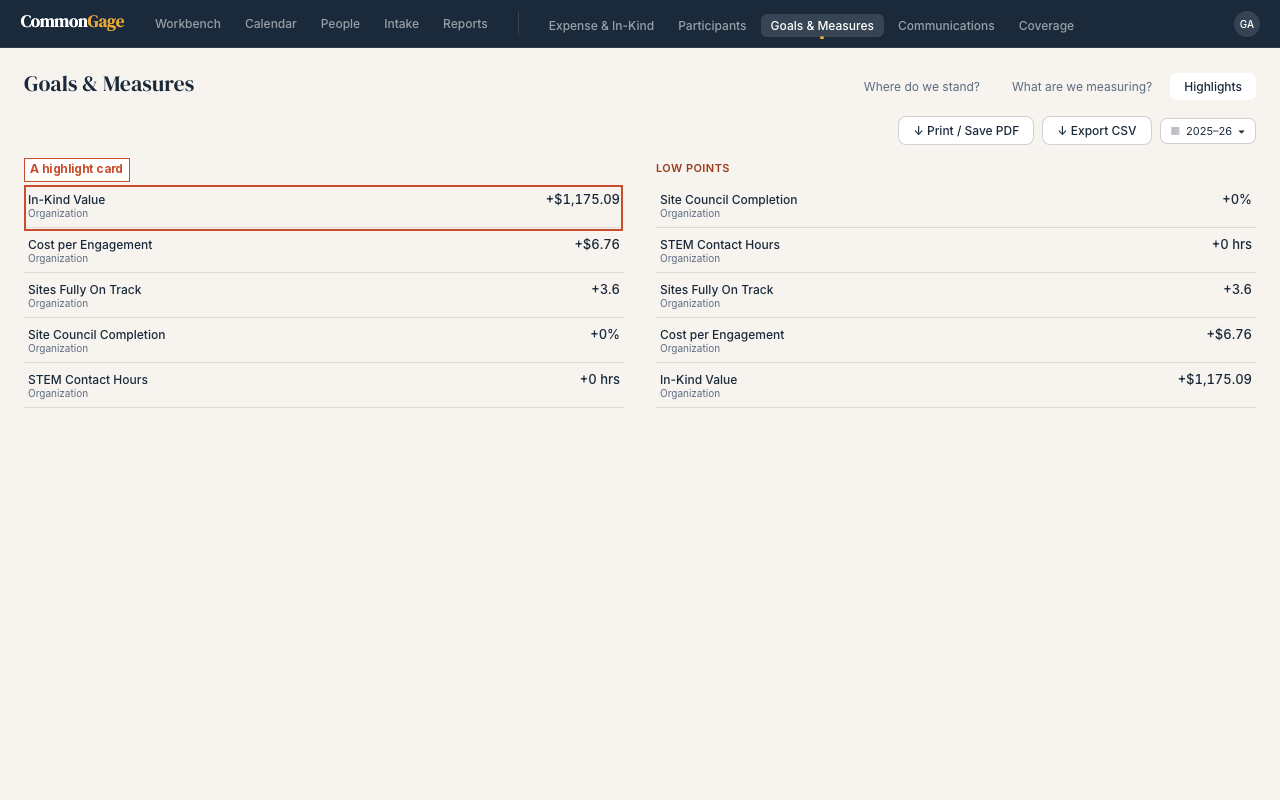
Where do we stand? shows every measure against its target, worst variance first — a measure that's derived updates itself automatically as new events, expenses, or participations come in; one that's entered updates only when someone records a value by hand. Admins define new measures and targets from What are we measuring?; Highlights is the shareable summary of high points and low points. Full reference →
Communications
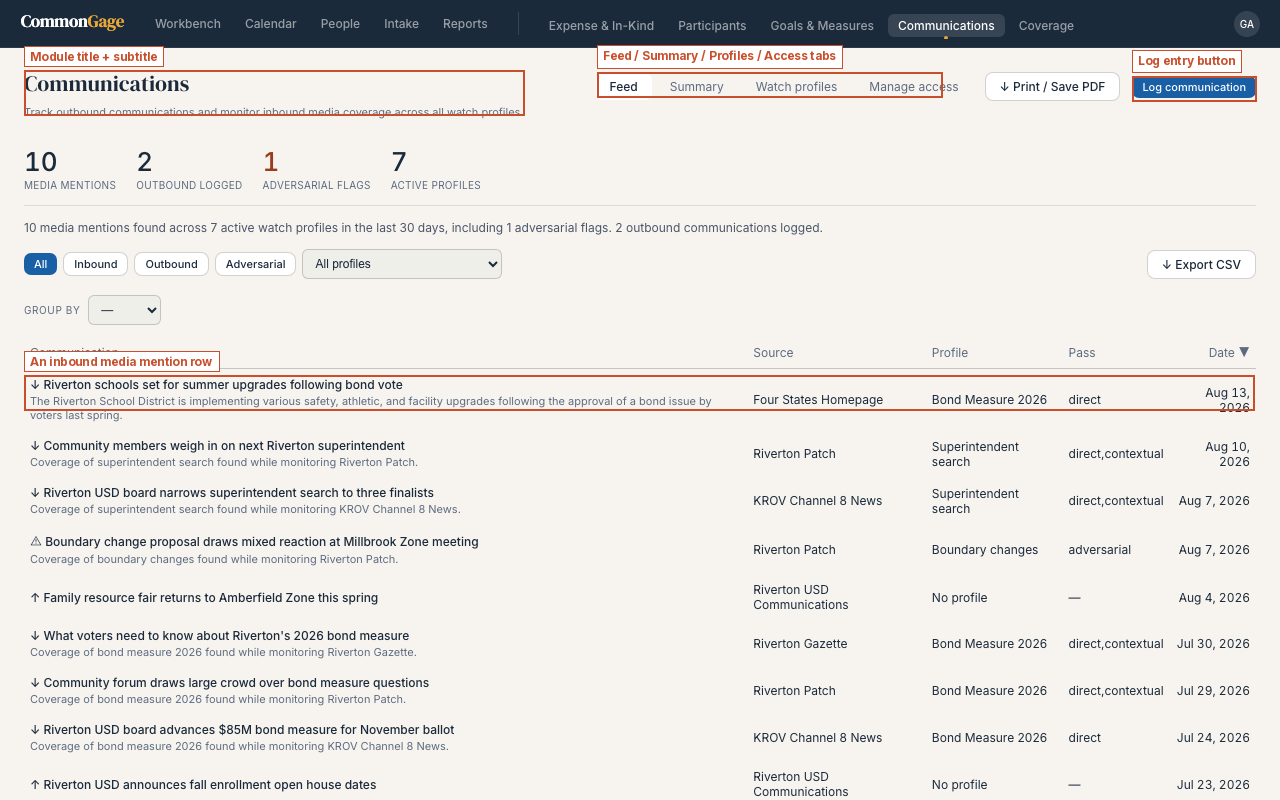
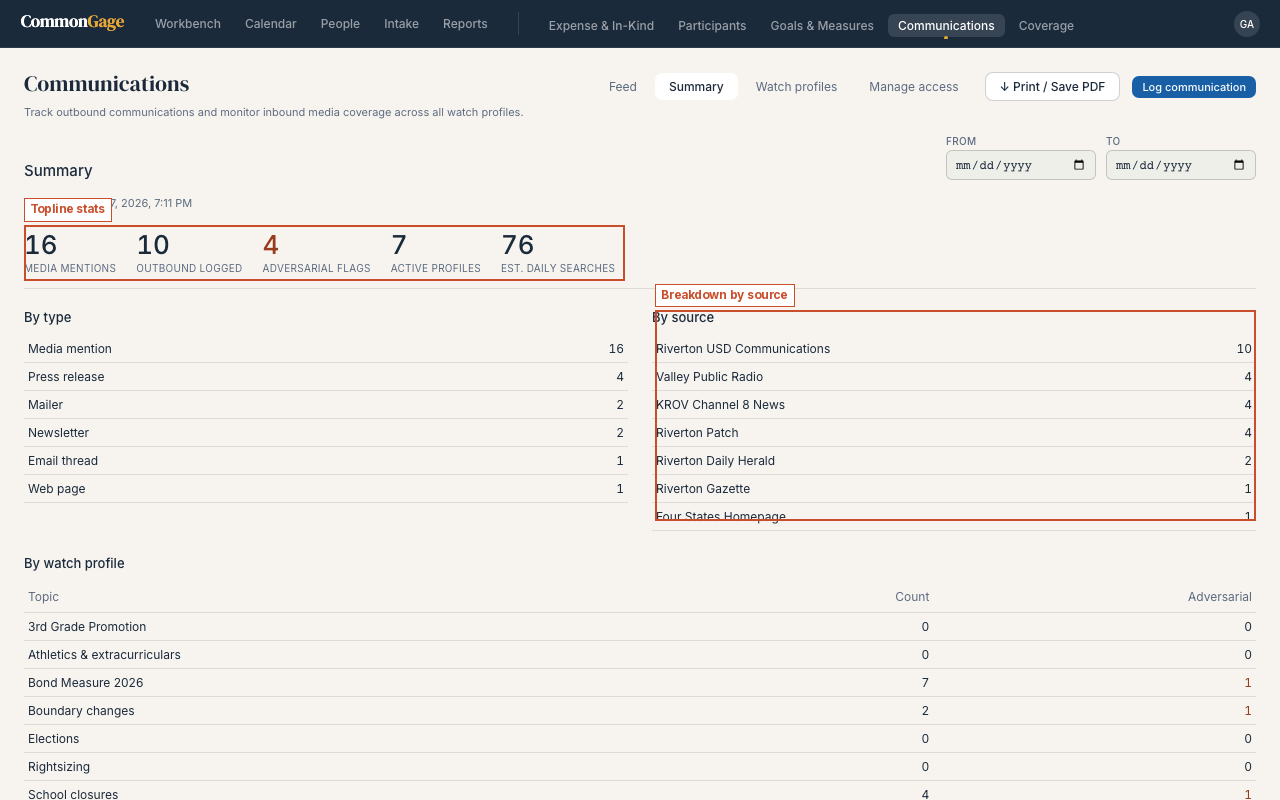
The Feed tab lists outbound press and inbound media mentions together, newest first, with an "adversarial" flag for coverage that needs a second look. Summary rolls the same record up by type, source, and watch topic. Admins additionally see Watch profiles and Manage access — Communications is the one module with a per-user access gate on top of the organization-level toggle. Full reference →
Coverage
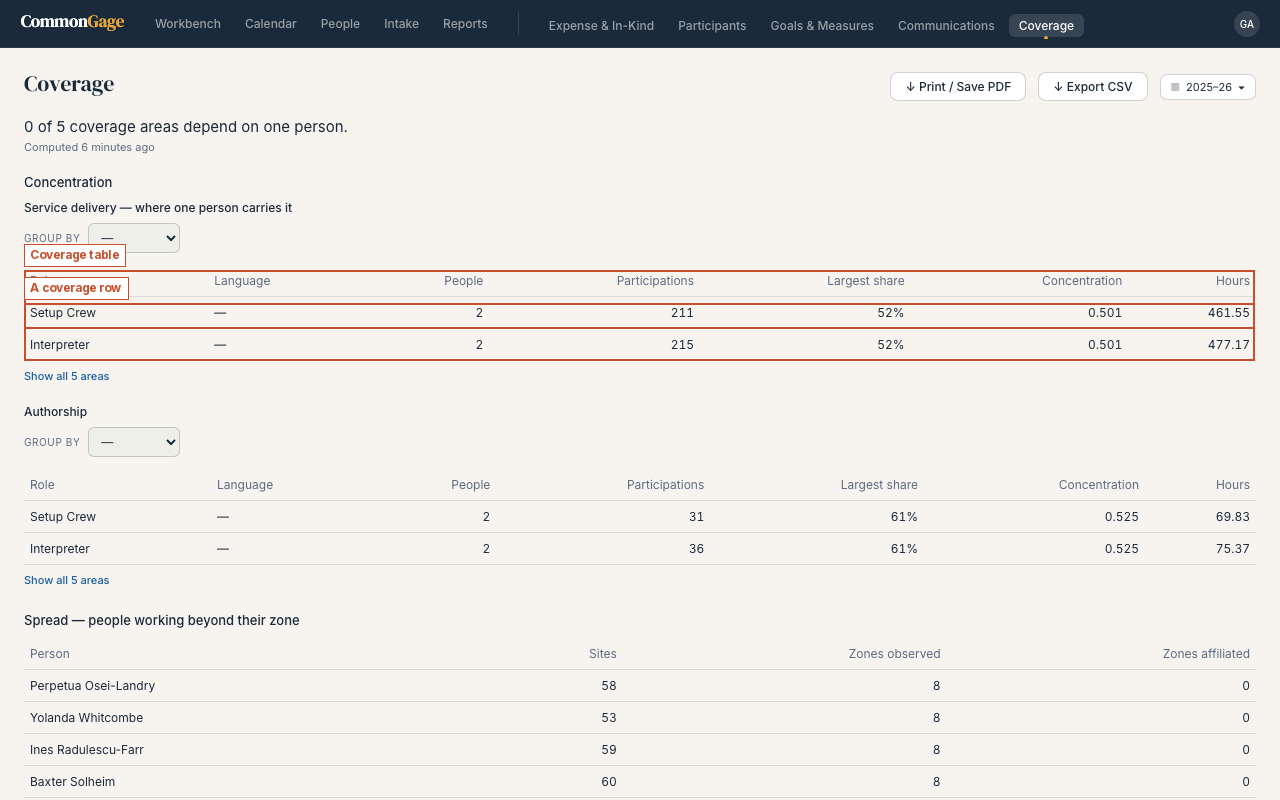
Coverage answers a different question than the other modules: not what happened, but who made it happen, and how evenly that work is spread. The concentration table shows, per role, how many people are doing the work and what share falls on just one or two of them. Coverage is an Org Admin view only — a coverage area is a person, and a person can cross zones, so the analysis only makes sense looked at organization-wide. Full reference →
Partnerships
Add a partner from the module's own screen, log the agreement you hold with them (an MOU, a contract, or something more informal), and link the people they send to specific events. A partner can also submit their own roster and hours directly through a one-time link an admin generates — nothing counts until staff review it. Full reference →
Projects
Work plans in 30, 45, 60, or 90-day horizons, each with an owner and a list of items. When a planned item becomes a real event, you record which event it became right on the item, so "did we do what we planned?" is answered by the record. My work is your own plans and assigned items; the module's main screen is the roll-up a supervisor uses. Full reference →
Proof
Names an external requirement — a funder's checklist, a grant condition — and points at the CommonGage records that already satisfy it. Every item reports one of three states, never a bare pass/fail: met, not yet met, or not yet configured. Click Issue a snapshot for a dated, frozen copy to hand to an auditor or program officer. Full reference →
Want to see how these eight fit together — what every module reads from, and which ones feed numbers into Goals & Measures? See How the Modules Connect.