People, Intake, and Flags
People
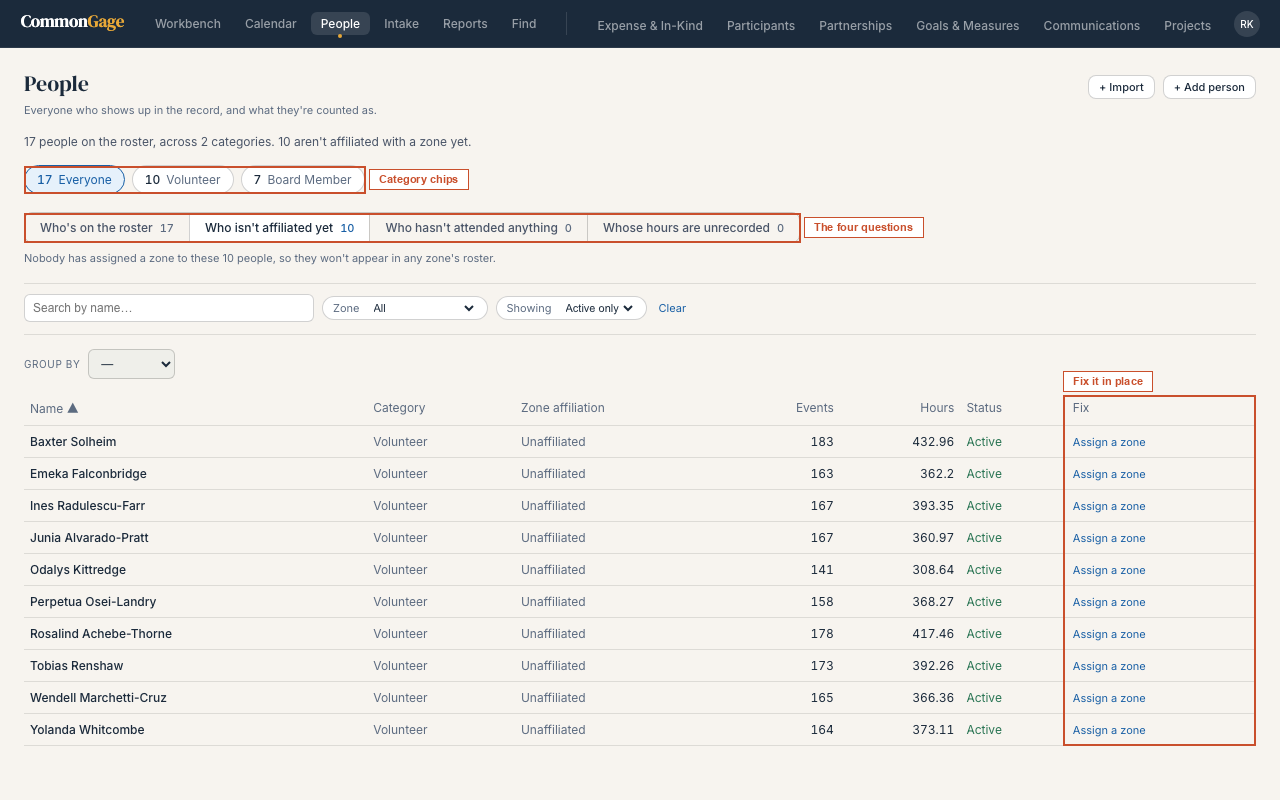
Every person who shows up in the record — volunteers, board members, and anyone else your organization tracks — with a category, an active/inactive status, and zone affiliation. This is core to the platform, not a module, so it's available regardless of what's licensed.
The screen is organized around four questions, each with its own tab:
| Tab | Who it shows |
|---|---|
| Who's on the roster | Everyone. The default view. |
| Who isn't affiliated yet | People with no zone assigned — they won't appear in any zone's roster until someone assigns one |
| Who hasn't attended anything | People on the roster with nothing in the record connecting them to an event |
| Whose hours are unrecorded | People whose participations carry no hours, or only some — any hours total including them understates the real figure |
The category chips above the tabs narrow everything below them, and the tab counts follow the chips. The sentence at the top of the screen does not: it always reports the full active roster and how many people have no zone yet, so the headline number doesn't move around as you filter.
On the Who isn't affiliated yet tab, each row carries a Fix column — assign a zone inline, without opening the person. The column only appears if your role can edit people; if it can't, you still see who's unaffiliated, just no control to change it. Fixing one there removes it from the tab immediately.
Intake
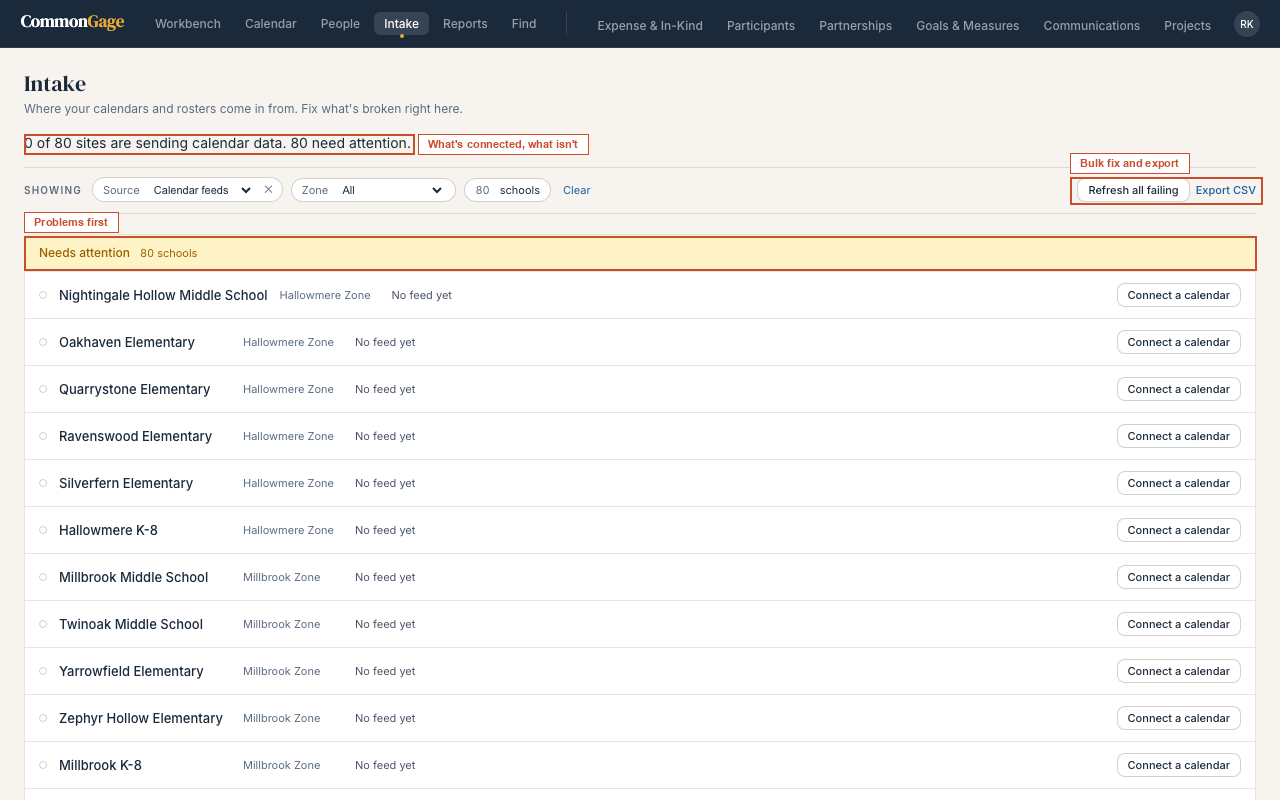
Intake is where calendar events come from. Most sites connect a single iCal feed; a smaller number of events arrive through uploaded documents (spreadsheets, CSVs, or text). It is laid out as a board with problems first, so you can fix what's broken without leaving the screen.
Needs attention sits at the top, worst first:
| State | What it means |
|---|---|
| Failing | The feed is connected but the last fetch failed — shown with when it was last tried |
| Connected, never synced | The feed is configured but has never successfully brought anything in |
| No feed yet | The site has no intake source at all |
| Feed turned off | A source exists but is inactive |
Each row carries its own actions — refresh it, repoint it at a corrected feed address, remove it, or connect one for the first time. Removing a feed asks for confirmation inline, and events already brought in stay. Refresh all failing runs every failing feed in one pass, one at a time, reporting progress as it goes; a feed that fails partway doesn't stop the rest, and the summary at the end tells you how many succeeded and how many didn't.
Below that, Working collapses everything syncing normally into a single line — open it when you want the detail — and Bring in more is where you add a new connection or upload a document.
The Showing bar narrows the board by source type and by zone, and Export CSV exports whatever the bar has you looking at, grouped the way it's grouped on screen. Clicking into any site opens a drawer on the right with that connection's history.
My Flags
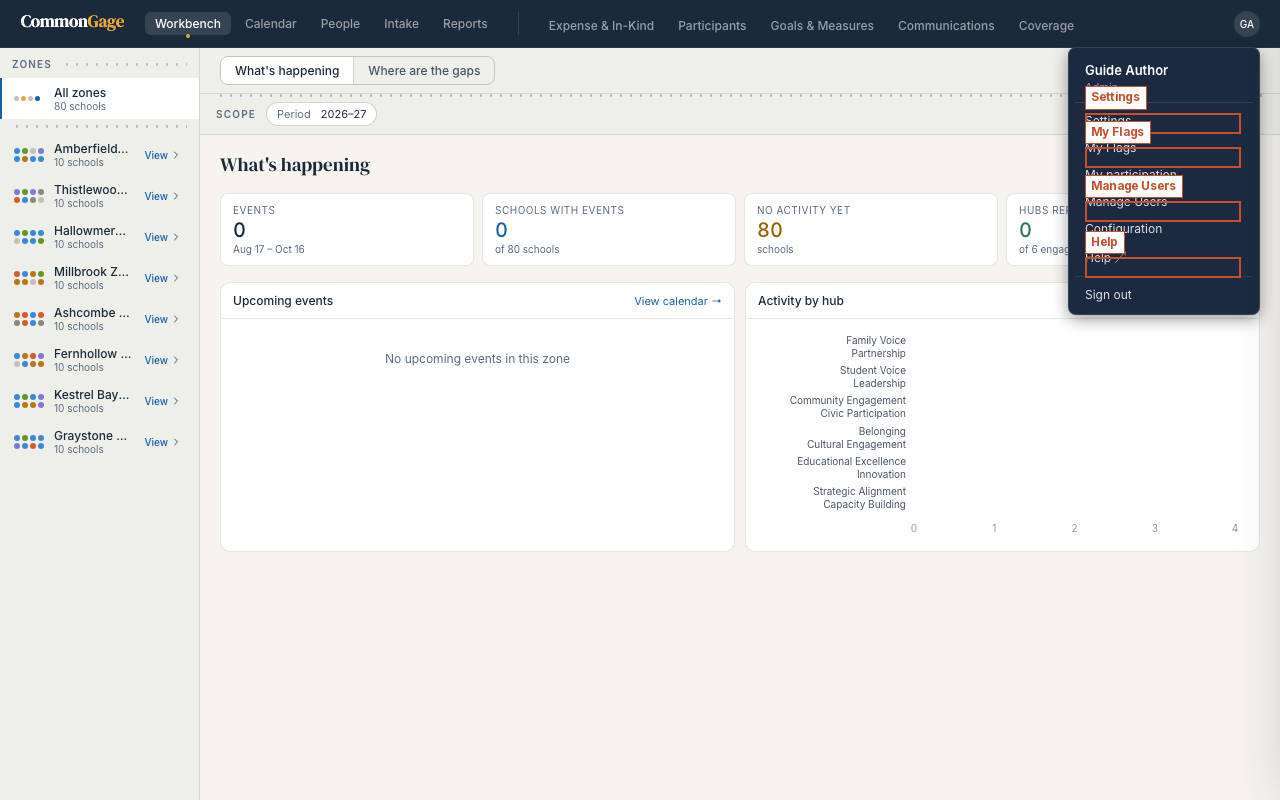
A personal inbox of data-quality flags — things the system noticed that might need a second look, addressed to you specifically. Find it under the avatar menu, top right.