The Monthly and Quarterly Rhythm
The things you check periodically — obligation status, expense tracking, the gaps view.
Task — Review the gaps view
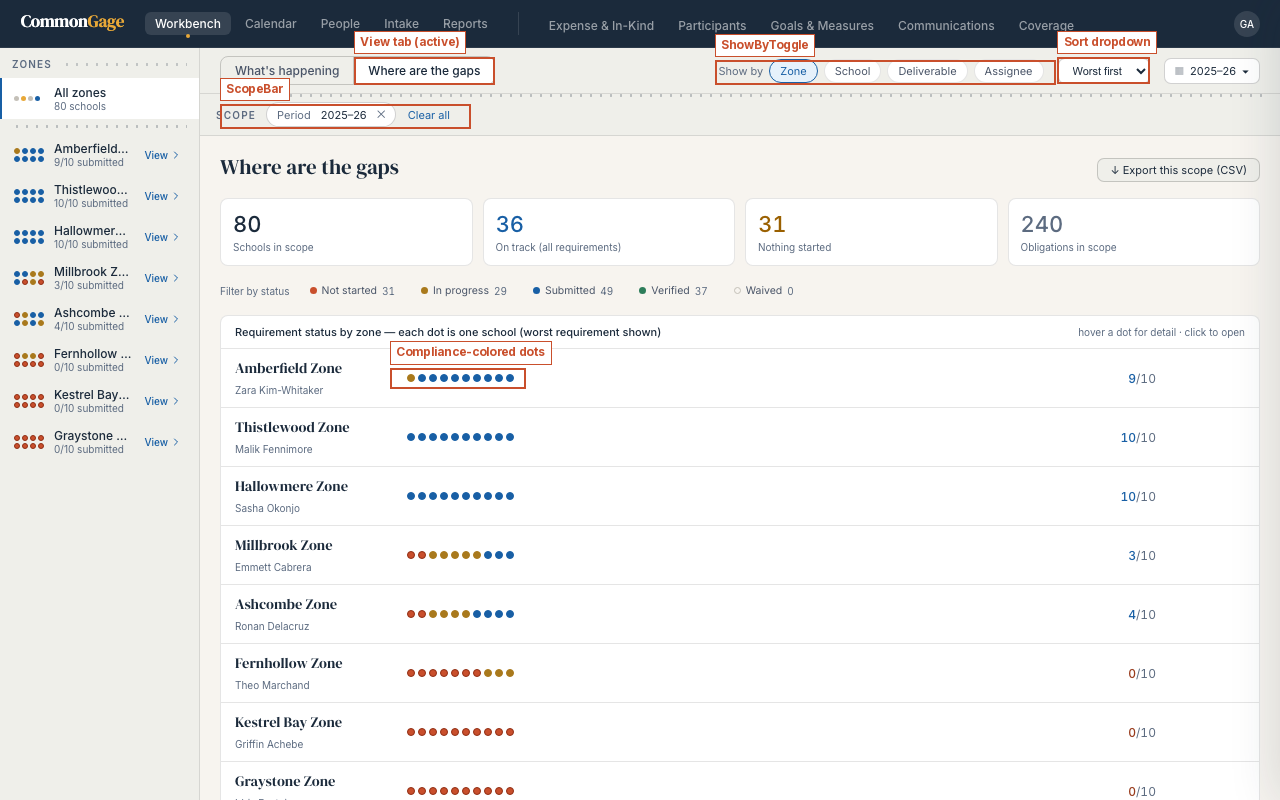
- On the Workbench, switch to the Where are the gaps tab.
- Set the sort dropdown to Worst first so the zones and schools furthest behind surface at the top.
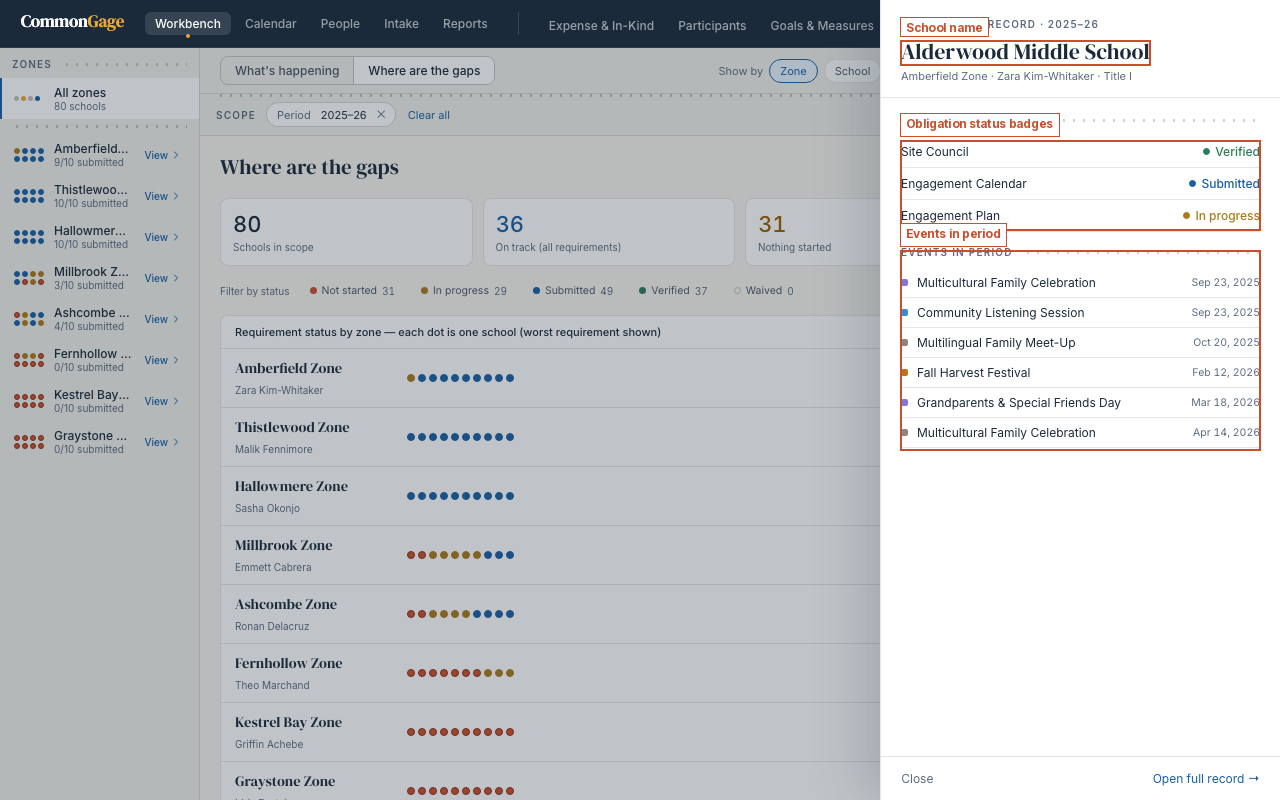
- Click a dot, or a school's name once you've drilled into a zone, to open that school's drawer.
Task — Update obligation statuses
Each school has a set of requirements your organization's admins define — there's no fixed list. A requirement might be a compliance filing, a plan document, or evidence of a meeting. From the school drawer (or a school's own record), click a deliverable to move it through its statuses:
- Not started → In progress → Submitted → Verified. A fifth status, Waived, is available where a requirement genuinely doesn't apply, and a school can also be marked exempt from a given requirement entirely.
- Only an Org Admin can mark something Verified — everyone else's write access stops at Submitted.
- If you have write access, you can update status, notes, and an evidence link inline from the school's Obligations panel.
The Compliance block in the Reports District View (see Pulling the Report) summarizes how schools are doing against these requirements, organization-wide.
Task — Enter expense records
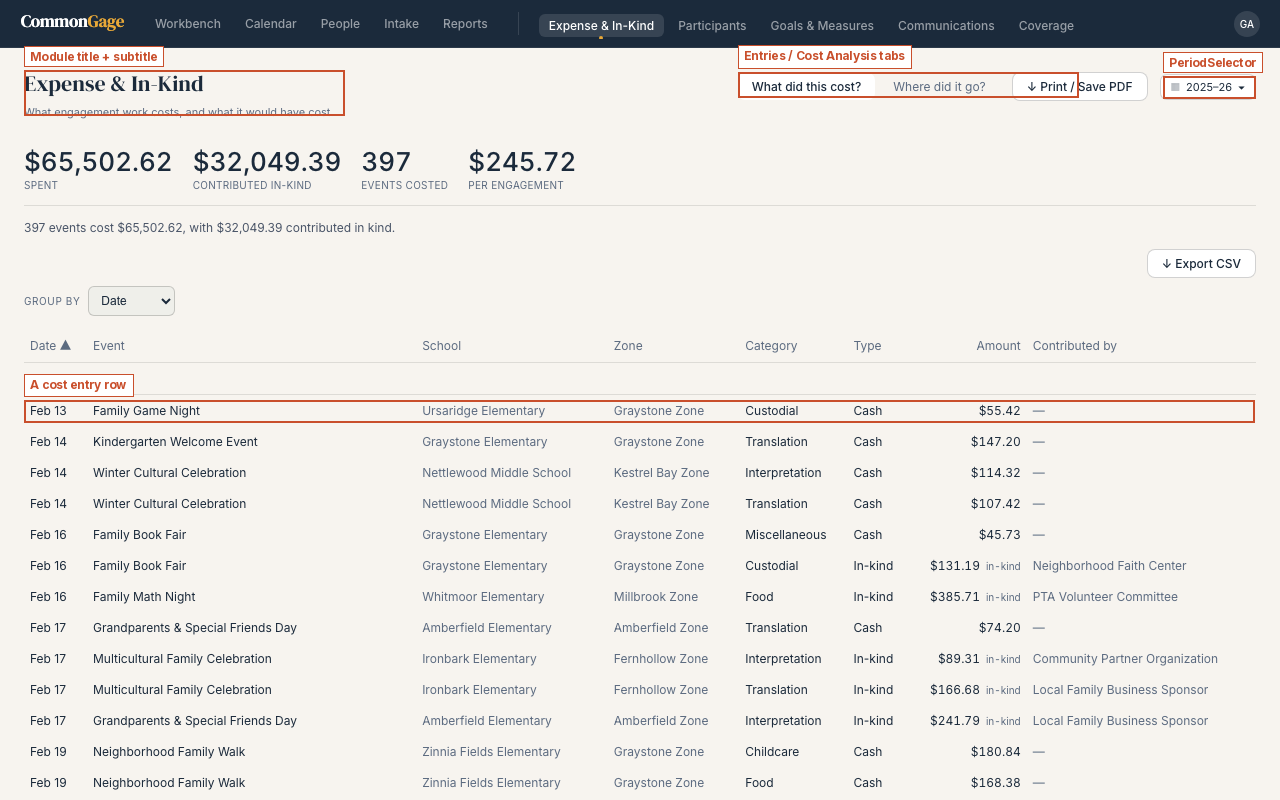
- Go to Expense & In-Kind in the nav bar.
- On the What did this cost? tab, log each entry against the event it belongs to: category, amount, and whether it was paid in cash or contributed in-kind (with who contributed it).
Task — Check the Cost Analysis
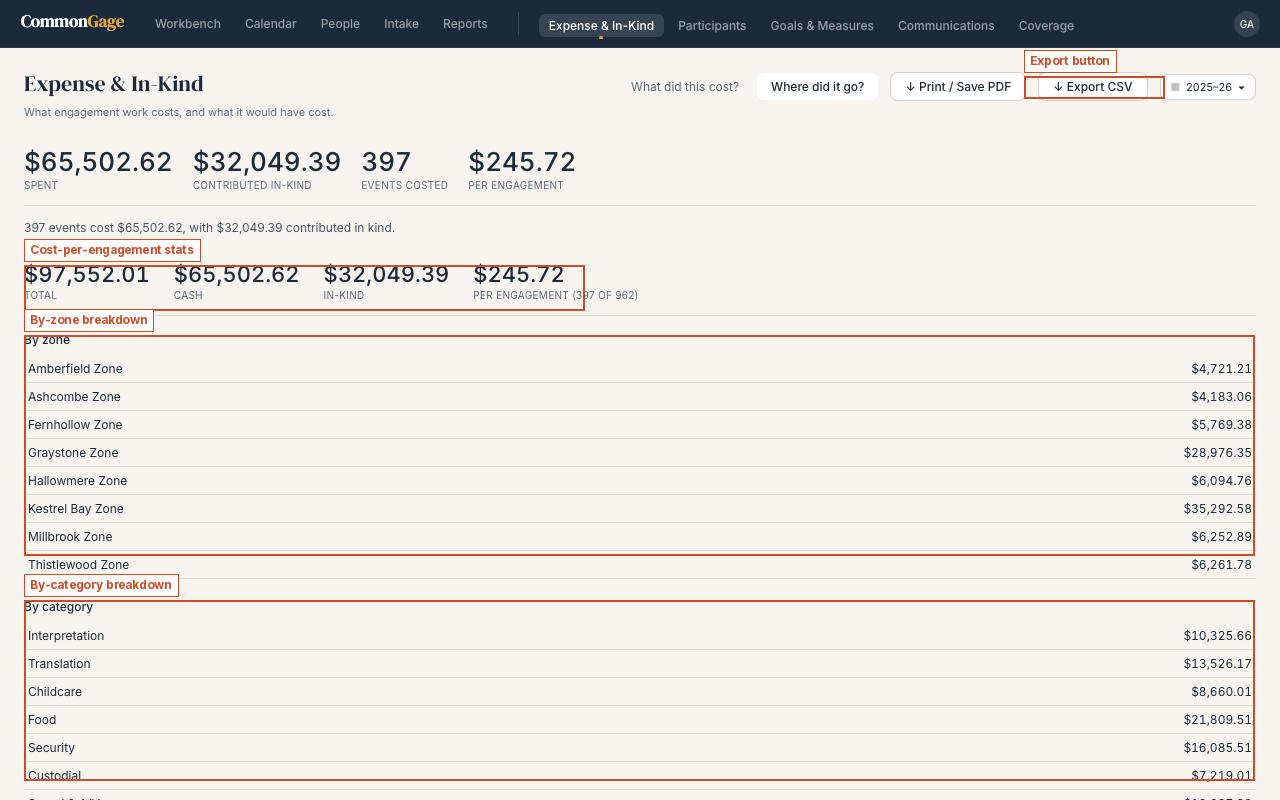
- Switch to the Where did it go? tab.
- Review total spend against cost-per-engagement, then the same numbers broken down by zone and by category.